

 Send Inquiry

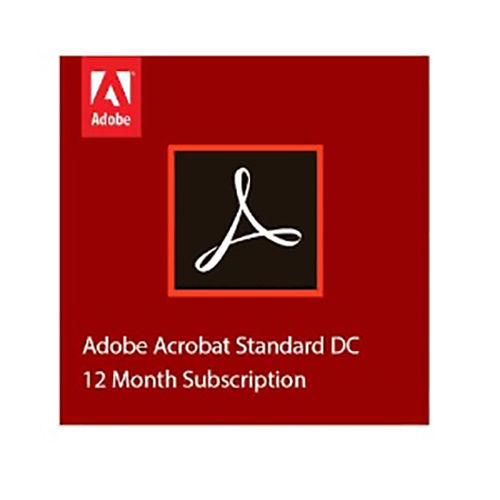
Adobe Acrobat Pro DC
Product Details:
- Capacity (Person) Single User License / Per-User License
- Language Support Multilingual (including English, French, German, Spanish, etc.)
- Security Features Password Protection, Document Encryption, Digital Signatures, Redaction Tools
- Interface Type Graphical User Interface (GUI), Touch-Friendly Interface
- Usage Business, Office, Educational, Professional
- Compatible System Windows 10/11, macOS v10.14 and above
- Support System Online Help, FAQs, Community Forums, Customer Support
- Click to View more
X
Adobe Acrobat Pro DC Price And Quantity
- 1 Unit
- 2 GB RAM (recommended: 4 GB)
- Adobe Acrobat Pro DC (Latest Release)
- Adobe Document Cloud Integration
- 1024 x 768 screen resolution
- Approx. 2-4 GB depending on system
- Enabled with Subscription
- 1.5 GHz or faster processor
- Subscription-Based License
- PDF, Microsoft Office formats, Image Files (JPEG, PNG, TIFF, etc.), and more
- Regular Feature and Security Updates
- Required via Adobe ID
- Edit PDF, Convert PDFs, Create PDF Forms, Combine Files, Comment and Markup, Fill & Sign
- 4.5 GB available
- Adobe Acrobat mobile apps available for iOS and Android
Adobe Acrobat Pro DC Product Specifications
- Single User License / Per-User License
- Password Protection, Document Encryption, Digital Signatures, Redaction Tools
- Multilingual (including English, French, German, Spanish, etc.)
- Graphical User Interface (GUI), Touch-Friendly Interface
- PDF Editing, Creation, and Management
- Business, Office, Educational, Professional
- Windows 10/11, macOS v10.14 and above
- Online Help, FAQs, Community Forums, Customer Support
- PDF Software / Application
- 2 GB RAM (recommended: 4 GB)
- Adobe Acrobat Pro DC (Latest Release)
- Adobe Document Cloud Integration
- 1024 x 768 screen resolution
- Approx. 2-4 GB depending on system
- Enabled with Subscription
- 1.5 GHz or faster processor
- Subscription-Based License
- PDF, Microsoft Office formats, Image Files (JPEG, PNG, TIFF, etc.), and more
- Regular Feature and Security Updates
- Required via Adobe ID
- Edit PDF, Convert PDFs, Create PDF Forms, Combine Files, Comment and Markup, Fill & Sign
- 4.5 GB available
- Adobe Acrobat mobile apps available for iOS and Android
Product Description
Ending Soon: Secure your subscription to the prodigious Adobe Acrobat Pro DC-the ultimate solution for PDF editing, creation, and management. Invincible in its capabilities, this highly recommended software allows you to edit, convert, comment, markup, combine, fill, and sign PDFs seamlessly. Redeem your access to robust features like password protection, digital signatures, and real-time cloud integration with Adobe Document Cloud. With continuous updates, mobile support, multilingual interface, and compatibility across Windows and macOS, Adobe Acrobat Pro DC is perfect for business, educational, and professional use. Act now for the latest release!
Expand Your Productivity: Additional Applications & Features
Adobe Acrobat Pro DC goes beyond basic PDF tasks-create interactive PDF forms, annotate documents, and combine files from multiple formats, including Microsoft Office and various image files. Surface your workflow with touch-friendly navigation and cloud synchronization, enabling seamless teamwork. Benefit from advanced security tools such as document encryption and redaction. Its graphical user interface ensures simple, powerful control, whether deploying in business, education, or professional contexts.
Domestic Market Coverage and Packaging Essentials
Adobe Acrobat Pro DC is offered throughout India, serving offices, educational institutions, and professionals. The asking price includes careful packing & dispatch, with sturdy packaging designed for secure delivery. Packaging details are tailored for single-user licenses, shipped via preferred FOB ports to meet client convenience. Delivery and after-sales support ensure a smooth experience, aligning with market demands and customer expectations across regions.
Expand Your Productivity: Additional Applications & Features
Adobe Acrobat Pro DC goes beyond basic PDF tasks-create interactive PDF forms, annotate documents, and combine files from multiple formats, including Microsoft Office and various image files. Surface your workflow with touch-friendly navigation and cloud synchronization, enabling seamless teamwork. Benefit from advanced security tools such as document encryption and redaction. Its graphical user interface ensures simple, powerful control, whether deploying in business, education, or professional contexts.
Domestic Market Coverage and Packaging Essentials
Adobe Acrobat Pro DC is offered throughout India, serving offices, educational institutions, and professionals. The asking price includes careful packing & dispatch, with sturdy packaging designed for secure delivery. Packaging details are tailored for single-user licenses, shipped via preferred FOB ports to meet client convenience. Delivery and after-sales support ensure a smooth experience, aligning with market demands and customer expectations across regions.
FAQ's of Adobe Acrobat Pro DC:
Q: How can I activate Adobe Acrobat Pro DC after purchasing?
A: You can activate Adobe Acrobat Pro DC by signing in with your Adobe ID, which is required for license validation and access to features. Activation is straightforward and guided within the application interface.Q: What file formats can Adobe Acrobat Pro DC support?
A: Adobe Acrobat Pro DC supports PDFs as well as Microsoft Office formats and major image files including JPEG, PNG, and TIFF, among others, ensuring versatile document handling.Q: When are updates for Adobe Acrobat Pro DC provided?
A: Regular feature and security updates are automatically enabled for subscription users, keeping your software up to date with the latest enhancements and protections.Q: Where can I get assistance for installation or usage issues?
A: Comprehensive support is available through online help, FAQs, community forums, and dedicated customer support channels to resolve installation or usage concerns.Q: What benefits does Adobe Document Cloud Integration offer?
A: Document Cloud Integration allows users to store, access, and share PDF files securely from anywhere, facilitating collaboration and providing seamless cloud accessibility.Q: What is the process of combining files in Adobe Acrobat Pro DC?
A: To combine files, simply use the "Combine Files" tool found within the application interface. You can merge multiple documents or images into a single, organized PDF with ease.Tell us about your requirement

Price:
Quantity
Select Unit
- 50
- 100
- 200
- 250
- 500
- 1000+
Additional detail
Mobile number
Email

Other Products in 'Designing Software' category




HERTZ INDIA INC
GST : 27AAQPD3658M1Z5

- 111, Raghuleela Mall, Kandivali West,Mumbai - 400067, Maharashtra, India
- Phone : 07971670302
- Mr. Pranav Doshi (Founder & CEO)
- Mobile : 07971670302
- hertzindiainc@gmail.com

 Send Inquiry
 Send SMS
HERTZ INDIA INC.
All Rights Reserved.(Terms of Use)
Developed and Managed by Infocom Network Private Limited.
Developed and Managed by Infocom Network Private Limited.

