

 Send Inquiry

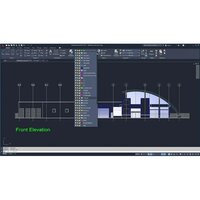
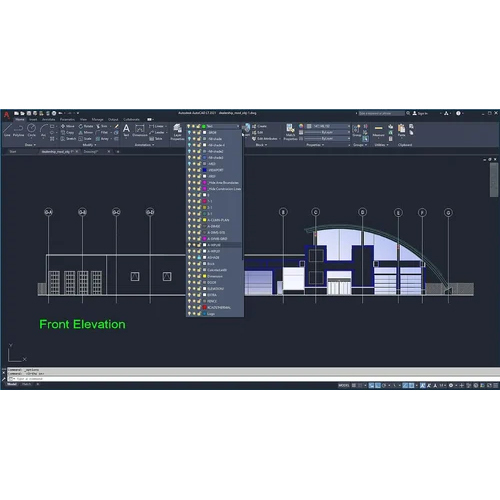
AutoCAD LT 2026 Commercial New Single Cad Software
26400.0 INR/Number
Product Details:
- Compatible System Windows 10/11 64-bit, macOS Monterey/Ventura/Sonoma
- Interface Type Graphical User Interface (GUI)
- Usage Creation and editing of precise technical drawings
- Security Features License management and user authentication via Autodesk account
- Language Support Multilingual (supports English and multiple global languages)
- Capacity (Person) Single User (standalone license)
- Support System Autodesk online support, knowledge base and forums
- Click to View more
X
AutoCAD LT 2026 Commercial New Single Cad Software Price And Quantity
- 26400.0 INR/Number
- 1 Number
- 2.52.9 GHz processor or higher
- 8 GB or higher recommended
- AutoCAD LT 2026
- Up to 7 GB of free disk space required
- Includes updates and security patches within license period
- Electronic Download (product key via email)
- Internet connection required for license activation
- New perpetual license for a single user
- 1920 x 1080 resolution with True Color
- DWG, DXF, DWF, PDF, and more
AutoCAD LT 2026 Commercial New Single Cad Software Product Specifications
- Commercial CAD Software
- 2D drafting and drawing creation for architects, engineers, and design professionals
- Single User (standalone license)
- Autodesk online support, knowledge base and forums
- Creation and editing of precise technical drawings
- License management and user authentication via Autodesk account
- Multilingual (supports English and multiple global languages)
- Windows 10/11 64-bit, macOS Monterey/Ventura/Sonoma
- Graphical User Interface (GUI)
- 2.52.9 GHz processor or higher
- 8 GB or higher recommended
- AutoCAD LT 2026
- Up to 7 GB of free disk space required
- Includes updates and security patches within license period
- Electronic Download (product key via email)
- Internet connection required for license activation
- New perpetual license for a single user
- 1920 x 1080 resolution with True Color
- DWG, DXF, DWF, PDF, and more
AutoCAD LT 2026 Commercial New Single Cad Software Trade Information
- Cash Advance (CA)
- 30 Number Per Month
- 5-7 Days
- All India
Product Description
AutoCAD LT 2026 Cost-Effective, Professional 2D Drafting for Engineers, Architects & Designers
AutoCAD LT 2026 is Autodesks leading 2D CAD drafting software, designed for professionals who demand precision, efficiency, and reliability without needing complex 3D features. Its ideal for architectural, construction, engineering, and design firms seeking affordable, genuine licensing and business-grade tools.
Key Features:
-
Precision 2D drafting and documentationlayer management, advanced dimensioning, smart blocks, annotation tools
-
Activity insights, sheet set manager, trace and hatch features for streamlined workflows
-
Cloud-connected blocks, Xref compare, version control for better collaboration
-
Access via desktop app (Win), AutoCAD Web, and AutoCAD Mobilework anywhere, anytime
-
Import/Export DGN, PDF, JPG, PNG, DWG and more formats
-
Integration with Autodesk Docs, enhanced productivity tools, and regular feature updates
-
Genuine annual subscription, electronic delivery, industry compliance
Why Choose AutoCAD LT 2026?
Reliable and consistent performance trusted worldwide
Centralized license management for business users
Official Autodesk support and regular upgrades for 1 year
Best For:
-
Architects, engineers, designers, contractors
-
MSMEs, consultants, academic users
-
Anyone needing professional, legal 2D CAD software with high ROI
Upgrade your drafting and design workflowchoose AutoCAD LT 2026 for precision, speed, and total reliability.
For latest price, demo, purchase, or renewal offers, contact us today!
Efficient Workflows for Design Professionals
AutoCAD LT 2026 streamlines 2D drafting tasks, enabling architects, engineers, and designers in India to create precise technical drawings with ease. The intuitive graphical user interface offers smooth navigation, while seamless compatibility with major file formats and platforms ensures you can efficiently collaborate and exchange documents with colleagues and clients.
Secure License Management and Software Updates
Benefit from Autodesk's advanced license management, user authentication, and access to timely updates and security patches throughout your license period. Single user accounts are managed via your Autodesk account, safeguarding software access and ensuring an up-to-date environment for commercial CAD operations.
FAQ's of AutoCAD LT 2026 Commercial New Single Cad Software:
Q: How is AutoCAD LT 2026 delivered and what is required to activate the license?
A: AutoCAD LT 2026 is provided through electronic download, with the product key sent via email. Activation requires an internet connection to register the license using your Autodesk account.Q: What are the system requirements for installing AutoCAD LT 2026?
A: The minimum requirements include 8 GB RAM (or higher recommended), a 2.5-2.9 GHz processor, 1920 x 1080 display resolution with True Color, up to 7 GB free disk space, and compatible OS such as Windows 10/11 (64-bit) or macOS Monterey/Ventura/Sonoma.Q: When will I receive updates and security patches for my license?
A: Updates and security patches are included within the license period and delivered automatically through Autodesk's update service whenever they become available.Q: Where can I get help or technical support if I encounter issues?
A: Autodesk provides comprehensive online support, access to a detailed knowledge base, and active community forums to assist users in resolving technical or licensing issues.Q: What file formats are compatible with AutoCAD LT 2026 for saving and sharing projects?
A: AutoCAD LT 2026 supports DWG, DXF, DWF, PDF, and several additional popular file formats for saving, sharing, and collaborating on technical drawings.Q: How does license management ensure security and authorized usage?
A: License management is handled via your Autodesk account, employing user authentication to secure access and prevent unauthorized usage.Q: What benefits do design professionals in India gain from using AutoCAD LT 2026?
A: Users benefit from a standalone commercial license, industry-standard drafting tools, secure management, update support, and multilingual functionality-all tailored for creating and editing accurate 2D technical drawings.Tell us about your requirement

Price:
Quantity
Select Unit
- 50
- 100
- 200
- 250
- 500
- 1000+
Additional detail
Mobile number
Email

Other Products in 'CAD Software' category

HERTZ INDIA INC
GST : 27AAQPD3658M1Z5

- 111, Raghuleela Mall, Kandivali West,Mumbai - 400067, Maharashtra, India
- Phone : 07971670302
- Mr. Pranav Doshi (Founder & CEO)
- Mobile : 07971670302
- hertzindiainc@gmail.com

 Send Inquiry
 Send SMS
HERTZ INDIA INC.
All Rights Reserved.(Terms of Use)
Developed and Managed by Infocom Network Private Limited.
Developed and Managed by Infocom Network Private Limited.

