


hertzindiainc@gmail.com
Autocad Web Commercial New Annual Autocad Web Commercial New Annual
Autocad Web Commercial New Annual

Autocad Web Commercial New Annual

10502.0 INR/Number

Product Details:

  • Compatible System Win Mac Linux
  • Interface Type Web
  • Usage Per User per year
  • Capacity (Person) 1
  • Application Autocad Web
  • Click to View more
X

Autocad Web Commercial New Annual Price And Quantity

  • 1 Number
  • 10502.0 INR/Number

Autocad Web Commercial New Annual Product Specifications

  • Web
  • Win Mac Linux
  • 1
  • Autocad Web
  • Per User per year

Autocad Web Commercial New Annual Trade Information

  • 3 Days

Product Description

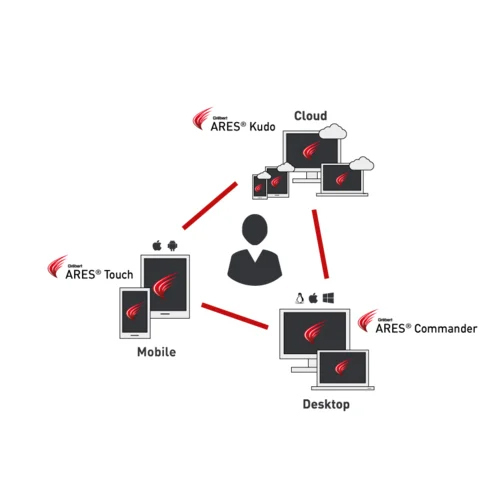
Use AutoCAD Online And On Mobile


What is Included in AutoCAD Web
Browser & Mobile Access: View, create, and edit DWG files directly in a web browser or via mobile apps.
Core Drafting Tools: Access essential 2D drafting commands, measurements, layers, and block editing.
Collaboration: Review and share markups with other AutoCAD users.

Review, annotate, and add field data to your drawings online via your web browser or mobile device. Access and edit DWG files, and quickly collaborate with AutoCAD users on designs for an affordable monthly rate.

Multi-User MarkupNew/Early Access
Streamline collaboration on Autodesk Docs projects with Multi-user markups. Collect and share feedback directly on drawings using intuitive markup toolsnow available in early access with AutoCAD on the web. Create markup links to provide simultaneous access to designs without duplicating or locking files.

Trace
Safely review and add feedback directly to a DWG file without altering the existing drawing.

Sheet Set ManagerEnhanced
Send sheet sets to and from teammates and open them quickly and safely using the Autodesk cloud platform. New features address key workflows such as importing layouts and creating new sheet sets in the cloud.

Local file access
Enable local file access on the web to streamline access to your DWG files saved on local drive or LAN, allowing you to make edits directly without worrying about duplicating files in the cloud.

Command ribbon
Switch the standard location of the command palette on the web to a location above the canvas that emulates the popular ribbon in AutoCAD on desktop.

MTEXT
View and edit MTEXT objects in DWG files on the web.

Accessible command line
Easily access the command line, which is docked at the bottom of the drawing area and displays prompts, options, and messages.

Flexible layers
Organize your drawings with layers. Create, lock, rename, and delete layers in AutoCAD on the web.

Measurements and dimensions
Take measurements and add or modify horizontal, vertical, aligned, or radial dimensions in your drawing.

External references
Display xrefs, such as images and DWG files referenced in your drawing, from the web.

Object grips
Quickly reshape, move, or manipulate objects using different grips.

Editable blocks
Create, insert, and modify blocks, as well as access block libraries directly from
AutoCAD on the web.

System requirements for AutoCAD web app
The AutoCAD web app is supported by the following browsers on Windows or Mac:
64-bit Google Chrome
64-bit Mozilla Firefox
64-bit new Microsoft Edge
64-bit Safari
For the best performance, it is recommended to use the latest version.
Minimum processor: Intel Celeron CPU N3160 @ 1.60GH

For Orders & Inquiries: Call Hertz India Inc or write Email to hertzindiainc@gmail.com

Tell us about your requirement
product

Price:

Quantity
Select Unit

  • 50
  • 100
  • 200
  • 250
  • 500
  • 1000+
Additional detail
Mobile number

Email

Other Products in 'CAD Software' category


Back to top