

 Send Inquiry






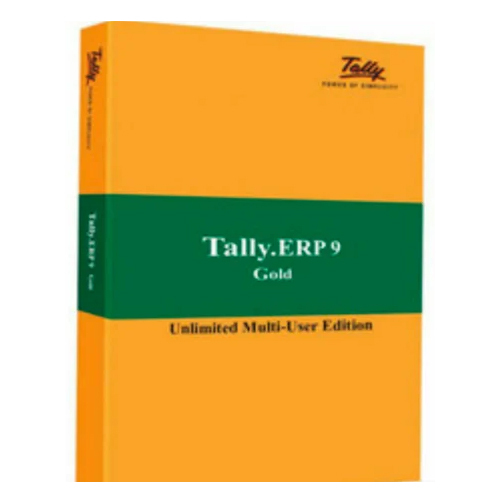


Tally Prime Gold Multiuser Software
67500.0 INR/Unit
Product Details:
- Capacity (Person) Multiuser - Unlimited
- Language Support English, Hindi, Regional Indian Languages
- Usage Corporate, SMEs, Businesses, Accountants, Financial Management
- Security Features User-level Security, Data Audit, Password Protection, Access Controls
- Compatible System Windows 7/8/10/11, Server Editions
- Interface Type User-Friendly GUI, Keyboard & Mouse Support
- Type Accounting & Business Management Software
- Click to View more
X
Tally Prime Gold Multiuser Software Price And Quantity
- 67500.0 INR/Unit
- 1 Unit
- Offline/Online Installer
- 150 MB Free Disk Space
- LAN Supported, Data Sync
- Proprietary (Tally Data Files)
- Perpetual
- Online Product Activation
- Integrated Backup Utility
- GST Compliant, E-invoicing, Remote Access, Flexible Voucher Entry
- Balance Sheet, Profit & Loss, GST Reports, Stock Reports
- Free Updates for 1 Year
- 2 GB RAM
Tally Prime Gold Multiuser Software Product Specifications
- Multiuser - Unlimited
- English, Hindi, Regional Indian Languages
- Accounting & Business Management Software
- Accounting, Inventory Management, Payroll, Taxation, Invoicing, MIS Reporting
- User-level Security, Data Audit, Password Protection, Access Controls
- Corporate, SMEs, Businesses, Accountants, Financial Management
- User-Friendly GUI, Keyboard & Mouse Support
- Windows 7/8/10/11, Server Editions
- Offline/Online Installer
- 150 MB Free Disk Space
- LAN Supported, Data Sync
- Proprietary (Tally Data Files)
- Perpetual
- Online Product Activation
- Integrated Backup Utility
- GST Compliant, E-invoicing, Remote Access, Flexible Voucher Entry
- Balance Sheet, Profit & Loss, GST Reports, Stock Reports
- Free Updates for 1 Year
- 2 GB RAM
Tally Prime Gold Multiuser Software Trade Information
- Cash Advance (CA)
- 50 Unit Per Month
- 5-7 Days
- All India
Product Description
Tally Prime Gold Multiuser Software is a comprehensive accounting software solution designed for businesses requiring multiuser access and advanced accounting functionalities. It offers a sturdy platform to manage financial transactions, payroll, inventory, taxation, and more. With multiuser capabilities, multiple users can work and access on the software simultaneously, which thereby improves collaboration and productivity. Tally Prime Gold Multiuser Software provides a secure and centralized database, ensuring data integrity and reliability. It enables users to generate financial reports, manage inventory, track expenses, and streamline business operations efficiently. This software is ideal for medium, large as well as small enterprises, offering customizable features to meet diverse accounting needs.
Seamless Multiuser Networking
Tally Prime Gold supports unlimited users within a local network, promoting effortless collaboration. Businesses can manage accounting, inventory, and payroll processes collectively, ensuring data consistency with real-time synchronization and user-level security. Its LAN capability allows teams to work concurrently, optimizing workflow and reducing errors.
Advanced Compliance and Reporting
Stay compliant with GST and leverage built-in e-invoicing for streamlined taxation and invoicing processes. Access robust financial reports like balance sheets, profit & loss statements, GST summaries, and stock reports. With its flexible voucher entry and extensive MIS reporting, Tally Prime Gold ensures transparency and efficiency in financial management.
Secure and Reliable Data Management
With features such as password protection, access controls, and data audit capabilities, Tally Prime Gold secures sensitive business information. The integrated backup utility simplifies restoration processes, safeguarding your data against loss. Its proprietary database format further enhances data integrity and reliability.
Easy Installation and Updates
Users can install Tally Prime Gold via offline or online installers on Windows OS systems. The activation process is straightforward with online product activation, while free software updates are available for one year. Hardware requirements are minimal, ensuring easy deployment across diverse business environments.
FAQ's of Tally Prime Gold Multiuser Software:
Q: How is Tally Prime Gold Multiuser Software installed and activated?
A: Tally Prime Gold can be installed using offline or online installers compatible with Windows 7/8/10/11 and Server Editions. After installation, activation is performed online using the product key provided by the supplier or service provider in India.Q: What are the benefits of using Tally Prime Gold in a multiuser LAN environment?
A: Multiuser LAN support allows unlimited users to access and update data simultaneously, enhancing productivity. The system maintains real-time data synchronization, ensuring data consistency and enabling effective collaboration while safeguarding access through user-level security controls.Q: When will users receive software updates, and what does the support include?
A: You will receive free software updates for one year from the date of activation. Updates cover feature enhancements, GST compliance changes, and bug fixes, ensuring your Tally Prime Gold remains current and efficient.Q: Where is data stored in Tally Prime Gold, and how is it secured?
A: Data is stored in Tally's proprietary database format. Security is enforced through password protection, user-level access controls, and data audit features. The integrated backup utility allows effortless backup and restoration to prevent data loss.Q: What process should be followed to manage GST and e-invoicing with Tally Prime Gold?
A: Tally Prime Gold offers GST-compliant accounting and e-invoicing features. Users input transactions through flexible voucher entry modules; the software automatically generates GST reports and compliant e-invoices, simplifying statutory requirements and record keeping.Q: Which businesses and professionals benefit most from Tally Prime Gold Multiuser Software?
A: Tally Prime Gold is highly suitable for corporates, SMEs, accountants, and financial managers in India who need robust accounting, inventory management, payroll, taxation, and MIS reporting functionalities in a secure, multiuser environment.Q: How do users restore backed-up data in Tally Prime Gold?
A: Users can utilize the integrated backup utility found within the interface. To restore data, navigate to the backup module, select the desired backup file, and follow the prompts for a smooth and quick restoration process.Tell us about your requirement

Price:
Quantity
Select Unit
- 50
- 100
- 200
- 250
- 500
- 1000+
Additional detail
Mobile number
Email

Other Products in 'Accounting ERP Software ' category




HERTZ INDIA INC
GST : 27AAQPD3658M1Z5

- 111, Raghuleela Mall, Kandivali West,Mumbai - 400067, Maharashtra, India
- Phone : 07971670302
- Mr. Pranav Doshi (Founder & CEO)
- Mobile : 07971670302
- hertzindiainc@gmail.com

 Send Inquiry
 Send SMS
HERTZ INDIA INC.
All Rights Reserved.(Terms of Use)
Developed and Managed by Infocom Network Private Limited.
Developed and Managed by Infocom Network Private Limited.

